
Support for your Inheco Single Plate Incubator Shaker
Welcome to the support area for Inheco Single Plate Incubator Shaker.
Answers to common issues
Troubleshooting communication problems for incubators. The use of multiple incubators - when used in master - slave operations can lead to communication problems. In addition, the drawers of incubators can develop problems that lead to the termination of the experiment. Here you can find Instructions, Software and Troubleshooting tips that can help you solve the problem before you contact us. If you need personal advice, we look forward to hearing from you, by phone or by e-mail.
Inheco technical support
Phone: +49 89 899593-121 (Monday to Friday 8 a.m. to 5 p.m. CET)
Email: techhotline@inheco.com
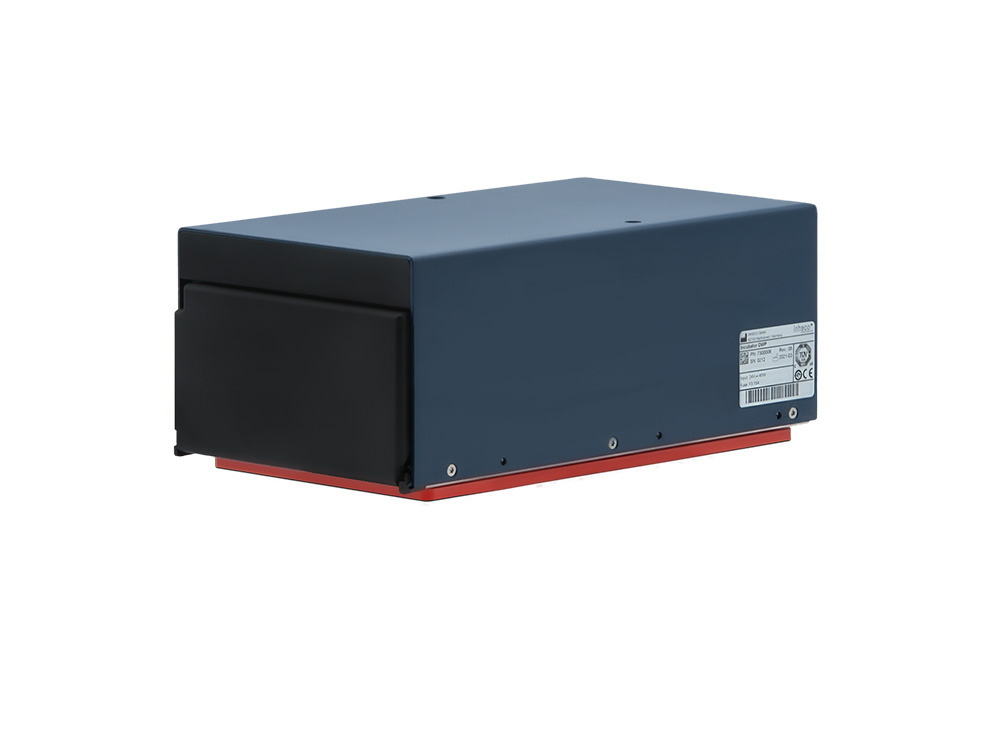
Instructions and Operating manuals:
Choose the manual for your instrument and download it as a PDF document.
Possible root causes:
- Excenter not in correct position
- Excenter spring loose, missing or without tension
- Drawer bent
- Motor defective
Solution:
Exchange the labware carrier. This is a part which can easily be exchanged on-site and it is available as spare part with order number 5100019.
If the drawer is ben or exchanging the labware carrier did not solve the problem the device needs to be returned to Inheco for repair.
Exchange the labware carrier. This is a part which can easily be exchanged on-site and it is available as spare part with order number 5100019.
If the drawer is ben or exchanging the labware carrier did not solve the problem the device needs to be returned to Inheco for repair.
Possible root cause:
- Drawer bent
- Motor defective
Solution:
If the drawer is bent the device needs to be returned to Inheco for repair.
If the drawer is bent the device needs to be returned to Inheco for repair.
Possible root cause:
Springs in shaking mechanism are defective e.g., the incubator was moved without transportation lock
Springs in shaking mechanism are defective e.g., the incubator was moved without transportation lock
Solution:
Test with an IMP whether the Incubator is still shaking within standard parameters.
If this is the case the sound can be ignored. If not, please return the device to Inheco for repair.
Test with an IMP whether the Incubator is still shaking within standard parameters.
If this is the case the sound can be ignored. If not, please return the device to Inheco for repair.
Possible root cause:
The incubator heats mainly from below with a heat plate. The DWP incubator has a relatively big incubation room which means the air temperature might not be enough to achieve the best uniformity in the plates.
The incubator heats mainly from below with a heat plate. The DWP incubator has a relatively big incubation room which means the air temperature might not be enough to achieve the best uniformity in the plates.
Solution:
Use the SPF factor command to change the proportion of side wall heating and heating plate.
Firmware Command Set
Use the SPF factor command to change the proportion of side wall heating and heating plate.
Firmware Command Set
Possible root cause:
- Defective power supply
- Blown fuse
- Defective PCB board
Solution:
Make sure the plug of the power supply is inserted correctly (refer to Incubator manual), if it was turned around the polarization was wrong, and this causes the fuse to blow. In this case the fuse needs to be exchanged. Contact techhotline for further information.
Use a different power supply
If exchange of power supply and fuse did not help, return device to Inheco for repair.
Make sure the plug of the power supply is inserted correctly (refer to Incubator manual), if it was turned around the polarization was wrong, and this causes the fuse to blow. In this case the fuse needs to be exchanged. Contact techhotline for further information.
Use a different power supply
If exchange of power supply and fuse did not help, return device to Inheco for repair.
Error Code List Incubator
The incubator returns a code as Ascii information in its answer on a command. You will either receive the description or the code itself in the software. This depends on how the software engineer defined the error handling in its software. It could also be that these are hidden information in your software.
Within the Inheco Shaker software these messages are displayed at the bottom of the GUI.
The incubator returns a code as Ascii information in its answer on a command. You will either receive the description or the code itself in the software. This depends on how the software engineer defined the error handling in its software. It could also be that these are hidden information in your software.
Within the Inheco Shaker software these messages are displayed at the bottom of the GUI.
Description Command REF
The Incubator Shaker software displays the Error Flags in its Gui. This can be solved differently in your robotic system software thus it could be that you do not receive this information when you encountered a problem.
In case you observe a problem with your device do not power the device off as the errors are only saved when the incubator is powered on or no reset is sent. In this case the REF command can be used with the Incubator Shaker Control Software to read out this error flags. If you already tried to power cycle your device the errors are deleted, and you need to reproduce the problem to receive this bit information.
There is a short self-test for the incubator available which can be started with the AQS command in the Incubator Shaker Control software to maybe receive further information.
If the errors are reproducible even when using our Incubator Shaker software. This indicates a hardware defect. It is important to use try to use the Incubator Shaker software to exclude any communication issues.
The Incubator Shaker software displays the Error Flags in its Gui. This can be solved differently in your robotic system software thus it could be that you do not receive this information when you encountered a problem.
In case you observe a problem with your device do not power the device off as the errors are only saved when the incubator is powered on or no reset is sent. In this case the REF command can be used with the Incubator Shaker Control Software to read out this error flags. If you already tried to power cycle your device the errors are deleted, and you need to reproduce the problem to receive this bit information.
There is a short self-test for the incubator available which can be started with the AQS command in the Incubator Shaker Control software to maybe receive further information.
If the errors are reproducible even when using our Incubator Shaker software. This indicates a hardware defect. It is important to use try to use the Incubator Shaker software to exclude any communication issues.
AQS Report Query Status:
The incubator self-test provides further information about the hardware of the incubator. In case you encounter any of the errors below, we recommend performing a short check with the IMP to see whether the device is functioning within its specifications. If you are unsure about the settings for the test the Inheco TechHotline can provide evaluation instructions. If the error is reproducible, please contact techhotline@inheco.com as this indicates a hardware issue.
The incubator self-test provides further information about the hardware of the incubator. In case you encounter any of the errors below, we recommend performing a short check with the IMP to see whether the device is functioning within its specifications. If you are unsure about the settings for the test the Inheco TechHotline can provide evaluation instructions. If the error is reproducible, please contact techhotline@inheco.com as this indicates a hardware issue.
Normal return message
This is not an error but only an information that the send command is accepted and will be executed.
Power on, software or watchdog reset i.e. always after the first command after reset and announcement
This is not an error but only an information that the incubator received a reset command or a power on before the command was send.
Command does not exist for this device.
This is the information that an unknown command was send to the incubator and you need to check the firmware command set how the command is correctly written.
Parameter out of range (see command set).
Is the information that part of the command is unknown for the incubator and you need to check the firmware command set what parameter is allowed to be used.
USB Protocol error. Wrong message length or crc
This can indicate a problem during communication which caused the message length to be corrupted. Visit Incubator Manual, Incubator Shaker Control Manual and Firmware Command Set to learn more about stabile communication. Or contact techhotline@inheco.com.
Device did not answer within the expected time frame. This error is generated by the PC application
This can indicate a problem during communication. Visit Incubator Manual, Incubator Shaker Control Manual and Firmware Command Set to learn more about stabile communication.
Check the status LED of the incubator if it is red this might indicate a hardware issue. Check with REF command. Contact techhotline@inheco.com if you are not able to solve the timeout issues.
Check the status LED of the incubator if it is red this might indicate a hardware issue. Check with REF command. Contact techhotline@inheco.com if you are not able to solve the timeout issues.
Command requires prior initialization of a sub system.
Check whether you selected the correct device ID or slave ID to initialize the device. Check LED status after you are sure the settings and initialize are used correctly. If it is red it might indicate a problem with the USB cable or your USB port. Change Computer and cable. If error is persistent, it indicates a hardware defect at the Incubator.
Parameter or Device condition prohibits execution
The drawer is in an unknown position (generated by RDS)
Check the Incubator manual for maintenance actions regarding drawer.
If error is persistent, it indicates a hardware defect at the Incubator.
If error is persistent, it indicates a hardware defect at the Incubator.
A Labware is detected on AOD after a power-up or after an undefined drawer status
Check the Incubator manual for Labware use or maintenance actions for the drawer. Remove the labware and restart the Incubator with a power-up.
If warning is persistent even without labware, it indicates a hardware defect at the Incubator.
If warning is persistent even without labware, it indicates a hardware defect at the Incubator.
NTC resistor not connected - check drawer
Check the Incubator manual for maintenance actions regarding drawer.
If error is persistent, it indicates a hardware defect at the Incubator.
If error is persistent, it indicates a hardware defect at the Incubator.
Device is not registered in the master
Check whether you set the dip switches and selected the correct device ID or slave ID to initialize the device.
Also check whether the slave connection cable is used correctly.
Also check whether the slave connection cable is used correctly.
The error message is from this device. The sub devices, heater or shaker did not answer within the expected time frame.
This can indicate a problem during communication. Visit Incubator Manual, Incubator Shaker Control Manual and Firmware Command Set to learn more about stabile communication.
Check the status LED of the incubator if it is red this might indicate a hardware issue. Check with REF command. Contact techhotline@inheco.com if you are not able to solve the timeout issues.
Check the status LED of the incubator if it is red this might indicate a hardware issue. Check with REF command. Contact techhotline@inheco.com if you are not able to solve the timeout issues.
EFLAG_H_ERR_CABLE_BREAK_S1
Sensor 1 is out of range (broken line).
Sensor 1 is out of range (broken line).
EFLAG_H_WARN_BoostCoolDown_TIME
Max. time (t3) exceeded for reaching TT after switching off booster.
Max. time (t3) exceeded for reaching TT after switching off booster.
EFLAG_H_WARN_StartState_LIMIT_Up_TEMP_S2
Over swing over warning level of sensor 2 during t1-t2. Additional Bit 13 will be set.
Over swing over warning level of sensor 2 during t1-t2. Additional Bit 13 will be set.
EFLAG_H_WARN_StartState_LIMIT_Up_TEMP_S3
Over swing over warning level of sensor 3 during t1-t2.
Over swing over warning level of sensor 3 during t1-t2.
EFLAG_H_WARN_StartStateBoost_LIMIT_UpDown_TEMP_S3
Over- or under swing under/above warning level during stable boost phase (t2) of sensor 3. Additional Bit 14 will be set.
Over- or under swing under/above warning level during stable boost phase (t2) of sensor 3. Additional Bit 14 will be set.
EFLAG_H_WARN_StableState_LIMIT_UpDown_TEMP_S2
Over- or under swing under/above warning level during stable phase (t4) of sensor 2. Additional Bit 13 will be set.
Over- or under swing under/above warning level during stable phase (t4) of sensor 2. Additional Bit 13 will be set.
EFLAG_H_WARN_StableState_LIMIT_UpDown_TEMP_S3
Over- or under swing under/above warning level during stable phase (t4) of sensor 3. Additional Bit 14 will be set.
Over- or under swing under/above warning level during stable phase (t4) of sensor 3. Additional Bit 14 will be set.
EFLAG_H_ERR_DELTA_TEMP_S1_S2
Temperature difference between sensor 1 and 2 reaches error level.
Temperature difference between sensor 1 and 2 reaches error level.
EFLAG_H_ERR_MAX_TEMP
Sensors 1 or 2 reach the max. allowed temperature. Depending on which sensor reaches the temperature first, additional Bit 13 or 14 will be set.
Sensors 1 or 2 reach the max. allowed temperature. Depending on which sensor reaches the temperature first, additional Bit 13 or 14 will be set.
EFLAG_H_ERR_CABLE_BREAK_S1
Sensor 1 is out of range (broken line).
Sensor 1 is out of range (broken line).
EFLAG_H_ERR_CABLE_BREAK_S2
Sensor 2 is out of range (broken line).
Sensor 2 is out of range (broken line).
EFLAG_H_ERR_CABLE_BREAK_S3
Sensor 3 is out of range (broken line).
Sensor 3 is out of range (broken line).
EFLAG_H_ERR_S3
Set additional to all warning flags regarding sensor 3, if error limit is reached.
Set additional to all warning flags regarding sensor 3, if error limit is reached.
EFLAG_H_WARN_DELTA_TEMP_S1_S3
Temperature difference between sensor 1 and 3 reaches warning level (fan failure detection).
Temperature difference between sensor 1 and 3 reaches warning level (fan failure detection).
EFLAG_SH_ERR_LIMIT_MAX_AMPL_X
Shaker amplitude X-Axis reaches error level ten times in a row.
Shaker amplitude X-Axis reaches error level ten times in a row.
EFLAG_SH_ERR_LIMIT_MAX_AMPL_Y
Shaker amplitude Y-Axis reaches error level ten times in a row.
Shaker amplitude Y-Axis reaches error level ten times in a row.
EFLAG_SH_ERR_LIMIT_MAX_AMPL_Y
Shaker amplitude Y-Axis reaches error level ten times in a row.
Shaker amplitude Y-Axis reaches error level ten times in a row.
EFLAG_SH_ERR_LIMIT_NO_AMPL_X
No Shaker movement X-Axis detected.
No Shaker movement X-Axis detected.
EFLAG_SH_WARN_DELTA_AMPL_X
Shaker amplitude X-Axis diverges from set value thirty times in a row.
Shaker amplitude X-Axis diverges from set value thirty times in a row.
EFLAG_SH_WARN_DELTA_AMPL_Y
Shaker amplitude Y-Axis diverges from set value thirty times in a row.
Shaker amplitude Y-Axis diverges from set value thirty times in a row.
EFLAG_SH_WARN_DELTA_AMPL_Y
Shaker amplitude Y-Axis diverges from set value thirty times in a row.
Shaker amplitude Y-Axis diverges from set value thirty times in a row.
EFLAG_SH_WARN_DELTA_FREQ_Y
Shaker frequency Y-Axis diverges from set value fifty times in a row.
Shaker frequency Y-Axis diverges from set value fifty times in a row.
EFLAG_SH_WARN_DELTA_PHASE
Phase shift between X- and Y-Axis diverges from set value fifty times in a row.
Phase shift between X- and Y-Axis diverges from set value fifty times in a row.
EFLAG_SH_ERR_SENSOR_BREAK_X
Hall-Sensor X-Axis is out of range (broken line).
Hall-Sensor X-Axis is out of range (broken line).
EFLAG_SH_ERR_SENSOR_BREAK_Y
Hall-Sensor Y-Axis is out of range (broken line).
Hall-Sensor Y-Axis is out of range (broken line).
The incubator self-test provides further information about the hardware of the incubator. In case you encounter any of the errors below, we recommend performing a short check with the IMP to see whether the device is functioning within its specifications. If you are unsure about the settings for the test the Inheco TechHotline can provide evaluation instructions. If the error is reproducible, please contact techhotline@inheco.com as this indicates a hardware issue.
| Description |
| Bit 0: Drawer |
| Bit 1: Homogeneity Sensor 3 versus Sensor 1 (>2 K) |
| Bit 2: Homogeneity Sensor 2 versus Sensor 1 (>2 K) |
| Bit 3: Sensor 1 doesn’t reach Target Temperature after 130 sec. |
| Bit 4: Y-Amplitude Shaker |
| Bit 5: X-Amplitude Shaker |
| Bit 6: Phase Shift Shaker |
| Bit 7: Y-Frequency Shaker |
| Bit 8: X-Frequency Shaker |
| Bit 9: Line Boost-Heater broken |
| Bit 10: Line Main-Heater broken |